You did everything right. You tested it. Preview said it fired. You published.
It broke anyway.
That feeling is not a fluke. It's a design gap in GTM that nobody warns you about until you've already lived it. And knowing how to know if GTM is working is harder than it should be, because the tool GTM gives you to answer that question doesn't actually answer it.
Preview Is Not What You Think It Is
GTM preview mode is useful. Nobody's arguing that. But there's a critical misunderstanding baked into how most marketers use it, and GTM does nothing to correct it.
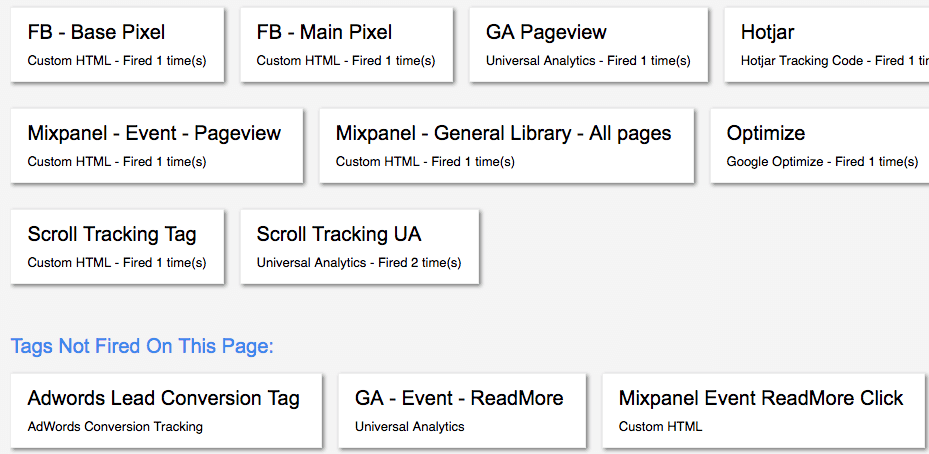
Preview tells you something fired. It does not tell you if what fired was correct.
That's not a subtle distinction. That's the entire gap between "I tested this" and "this is safe to publish." And GTM presents them as the same thing.
What Preview Can't Tell You
When you're in preview mode and you see a tag fire, here's what you actually know: that tag executed on that page, in that browser, at that moment. That's it.
Preview can't answer any of the things that actually matter before you hit publish:
Will this selector hold on other pages? Preview tests one page. Your site has dozens. The same button might have a completely different class structure on a different landing page, and preview has no reason to flag that.
Did this fire only where I intended? Preview shows you what happened when you clicked. It doesn't show you what else might trigger the same tag across your site. Duplicate events are invisible until they show up in your data, days later.
Will this survive the next deploy? Your developers push code. Classes change. DOM structures shift. Preview tells you nothing about what happens tomorrow. This is what GTM testing before publish actually can't cover.
Did I accidentally capture something I shouldn't have? Form fields, personal data, query parameters. Preview doesn't flag PII. It doesn't flag anything. It just shows you the tag fired.
What about mobile? What about tablet? Preview runs in your browser. If you're on desktop, you're testing desktop. The responsive version of your page might render that element completely differently.
Preview mode shows you that something happened once. It tells you nothing about what will keep happening.
The Confidence Trap
Here's where this becomes a real problem. GTM's workflow is built around a binary: preview, then publish. There's no step in between that says "verify this is actually safe."
So when preview shows a green light, the implied message is: you're good. Ship it. Most marketers take that at face value. Not because they're careless. Because GTM gives them no other option. There is no "verify" button. There is no risk assessment. There is no check that runs between "it fired in preview" and "it's live on your site."
This is what GTM publishing anxiety is, and it's not irrational. It's a correct response to a tool that asks you to be confident without giving you anything to be confident about. Every experienced marketer knows this feeling. You publish. You watch. You wait. You hope. This is what how to verify GTM setup actually looks like in practice: guesswork dressed up as process.
When It Breaks, You Own It
The worst part isn't the broken tracking. The worst part is the conversation that follows.
You said it was ready. You tested it. You published in good faith. It broke anyway. And now "but it worked in preview" means nothing. The damage is done. The data is wrong. The campaign reported false numbers. Someone made a decision based on bad information.
And you're the one who signed off on it.
This is the GTM mistakes marketers make that nobody wants to talk about, because it's not really a mistake. It's a system that handed you a stamp of approval that wasn't worth anything, and you trusted it because you had no choice.
Full responsibility. Zero verification tools. That's the deal GTM gives you.
What Actually Prevents This
The only way to avoid "worked in preview, broke in production" is to never rely on preview as your safety net in the first place.
That means the tracking configuration itself has to be correct before it ever touches GTM. Not tested-in-preview correct. Actually correct. Built right the first time, with a selector that was generated for that specific element, not guessed at and hoped for.
That's what TagCompanion does. You point at the element. It generates the selector and builds the full GTM configuration. No guessing what class name will hold. No hoping it works on mobile. No publishing and praying.
What do you want to track, where on the page, on which page, what do you want to call the event. Done. The container file you download is ready to import and publish. Not "probably works." Ready.
TagCompanion doesn't fix preview. It removes the need for preview to be your safety net. That's the difference between a tool that shows you what happened and a tool that gets it right before it ever goes live.
"But it worked in preview" should never be the last thing you said before something broke. TagCompanion.
Ship tracking that works first try. See how it works