AJAX form submissions don't reload the page. That's great for user experience. Terrible for tracking.
Google Tag Manager's standard triggers can't detect them. You need custom JavaScript to intercept the requests and capture the responses.
Which means you need a developer. And a budget. And 2-4 hours of their time.
Or you use Tag Companion's Website Helper and do it yourself in 15 minutes.
The AJAX Tracking Problem
When a form submits via AJAX:
- No page reload occurs (so Page View triggers don't fire)
- No URL change happens (so History Change triggers don't work)
- The response data lives in JavaScript (invisible to standard GTM triggers)
To track this, you need custom code that intercepts AJAX calls—whether they're XMLHttpRequest, Fetch API, or jQuery.ajax—captures the response data, and pushes it to the data layer with the exact structure GA4 expects.
That's not beginner-level GTM work. That's developer territory.
How Tag Companion Handles It
Tag Companion's Website Helper includes a custom AJAX listener that automatically intercepts XMLHttpRequest, Fetch API, and jQuery.ajax calls on your site.
Here's the complete workflow:
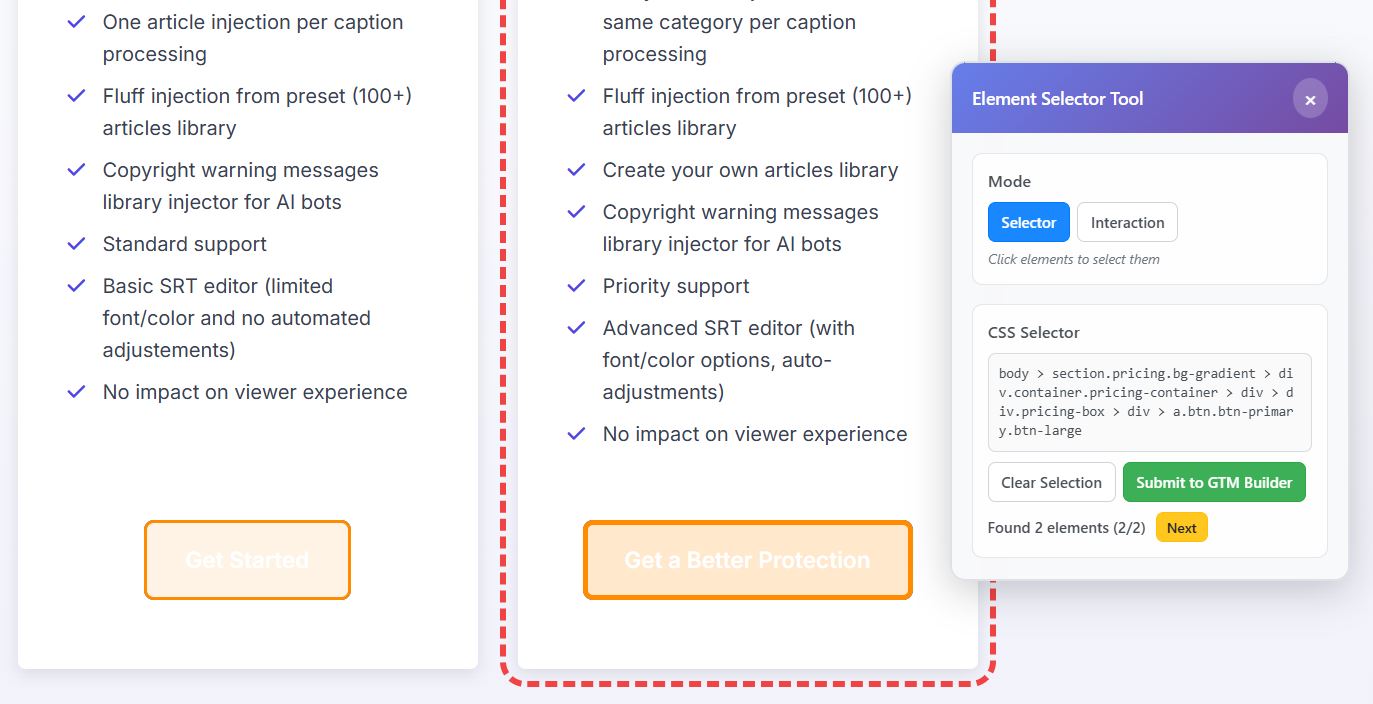
- Launch Website Helper from the Tag Companion dashboard
- Switch to Interaction mode in the overlay
- Enable "Listen for AJAX responses"
- Submit your form on the website
- The response appears instantly as an interactive JSON tree in the overlay
- Click the data point you want to track (success status, error message, response code)
- The data layer path auto-populates in the dashboard (e.g.,
attributes.response.success) - Configure and download your GTM template
Total time: 15 minutes per tracking point. Zero JavaScript knowledge required.
What Gets Generated
Tag Companion automatically creates a complete GTM template with:
- Custom HTML tag that intercepts AJAX requests and pushes response data to the data layer
- Data Layer Variable for the specific data path you selected (like
attributes.response.success) - Custom Event trigger that fires when the AJAX completes
- GA4 Event tag configured to send the data you captured
The Custom HTML tag includes the exact JavaScript needed to intercept your AJAX endpoint—whether it uses XMLHttpRequest, Fetch, or jQuery—extract the response at the path you selected, and structure it properly for GA4.
Import the template, publish, and your AJAX form tracking works immediately.
What You Can Track
The AJAX tool works best for tracking consistent data points in API responses—values that have the same structure every time but different content:
Form submission status: Track whether forms succeeded or failed by capturing response.success (true/false values).
Error messages: Capture response.error.message to know what went wrong when forms fail validation.
Response codes: Track response.code or statusCode to categorize different submission outcomes.
Action confirmations: Capture response.action values like "newsletter_subscribed" or "contact_form_sent".
Server responses: Track any consistent field in your API response structure—as long as it exists in the same path every time.
Important Limitation
The AJAX tool captures the structure of where data lives, not the specific values that change each time.
When you click response.success: true in the JSON tree, Tag Companion generates code to always capture whatever value lives at response.success—whether it's true or false.
This works perfectly for tracking success/failure status, error types, or response categories. It doesn't work for capturing user-specific data like emails or names that differ every submission.
Each AJAX tracking setup captures one data point. Need to track multiple values? Create separate templates for each, or configure them manually in GTM after understanding the pattern.
Why This Matters
Most marketers never track AJAX forms because it's too technical. They rely on thank you pages instead.
But modern websites don't always use thank you pages. Forms submit inline. No confirmation page loads. You're blind to whether forms actually worked.
Tag Companion makes AJAX tracking accessible to non-developers. Point, click, configure, download. No custom code. No developer dependencies.
If your forms submit via AJAX and you're not tracking success vs. failure, you're missing critical conversion data. Tag Companion fixes that in 15 minutes.